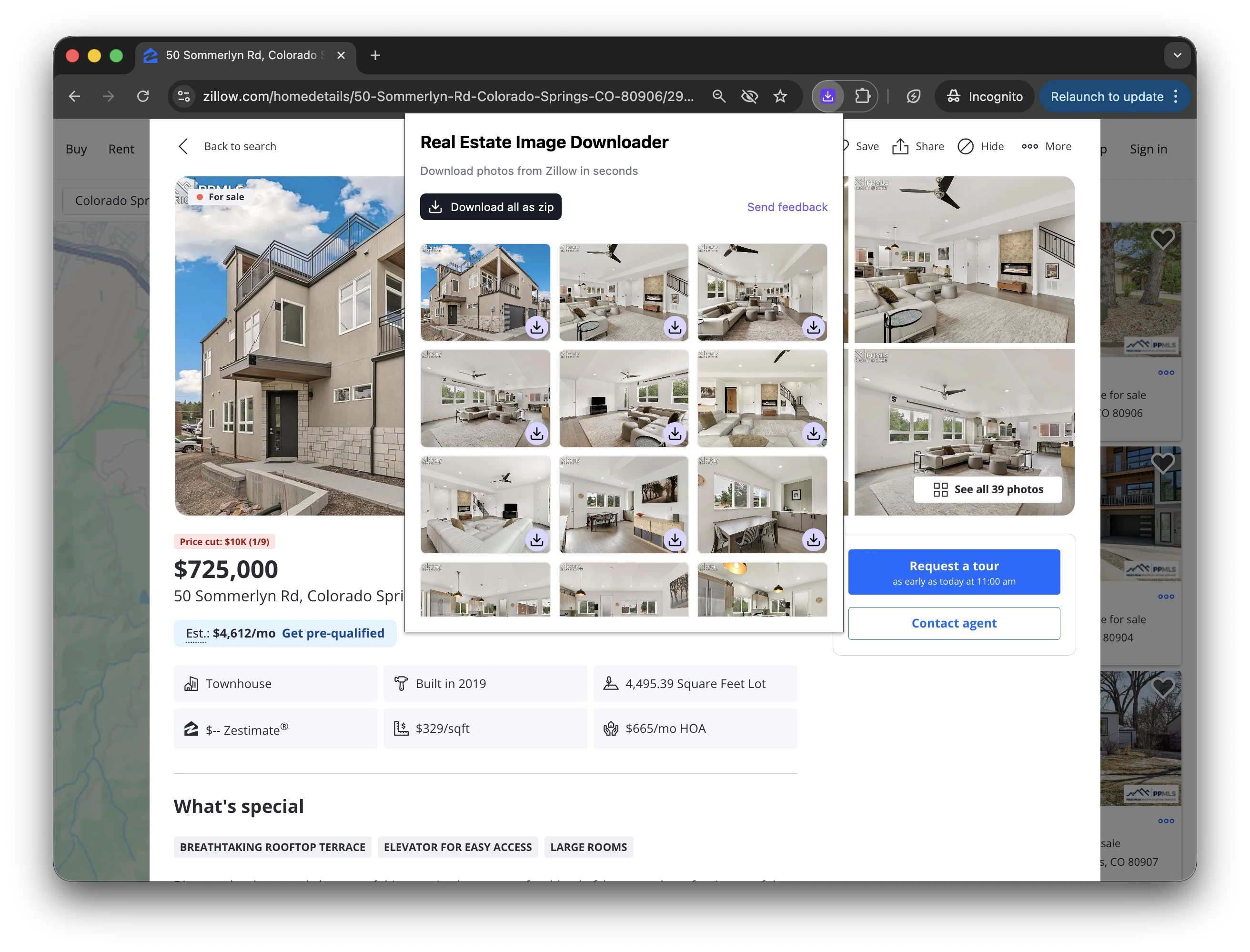

How to Download Images from Zillow
The Zillow Image Downloader keeps the workflow simple: install the Chrome extension, open a Zillow listing, then save one image or the full listing gallery. It is useful when you are gathering approved listing assets for a video, a social post, a client presentation, or your own listing archive.
Before using any photos, make sure you have the right permission to save and reuse them.
Step 1
Install the extension from the Chrome Web Store
Add the free Zillow photo downloader extension to Chrome.
Step 2
Pin it to your browser toolbar
Pinning makes it easier to open the extension when you are viewing a Zillow property page.
Step 3
Open a Zillow listing
Navigate to the Zillow property page that contains the photos you want to save. The extension reads the Zillow gallery on the current listing and loads the available images.
Step 4
Download one photo or the full gallery
Use single-image download when you only need specific Zillow photos, or bulk download to save the full gallery in one action.