
Google My Business for Real Estate Agents: 2026 Guide
Last updated on
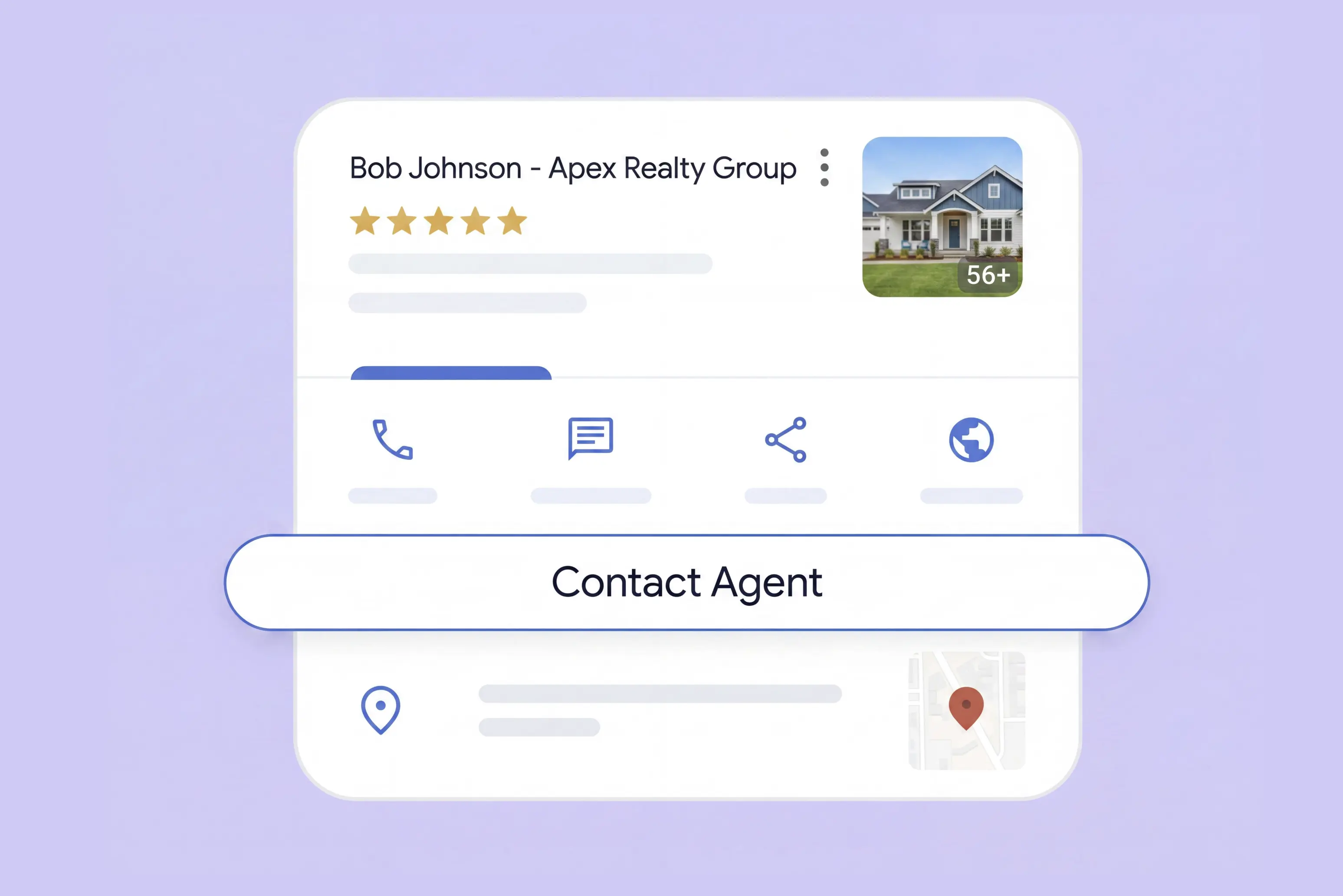
Google My Business is now called Google Business Profile, but the job of the tool is mostly the same: it helps local businesses manage how they appear in Google Search and Google Maps. For real estate agents, that makes it an important piece of local visibility: it can show your contact details, reviews, photos, service area, and website before a buyer or seller ever lands on your site.
Can Real Estate Agents Have Their Own Google Business Profile?
Yes. Google’s Business Profile guidelines list real estate agents as “individual practitioners”, which means agents can have their own profile if they work in a public-facing role and can be contacted directly.
Agents can also have a separate presence tied to their own name, service area, reviews, and contact information. That matters when buyers or sellers search for the agent directly, compare local agents, or want to confirm who they are about to contact.
The main guardrails are simple: don’t create profiles for non-client-facing support staff, don’t create separate profiles for every specialty, and don’t use a business name that adds keywords instead of reflecting the real-world name.
Why Google Business Profile Matters for Real Estate Agents
A Google Business Profile gives agents more control over how they show up online. Instead of relying only on a brokerage website, Zillow profile, or social media account, you get a dedicated place that points people back to you. And if you ever move to a new brokerage, everything built into it, reviews, photos, history, comes with you.
That matters because buyers and sellers look agents up before they reach out. According to Zillow's 2025 Consumer Housing Trends Report, 33% of buyers say online research played a key role in how they chose their agent. A complete, active profile gives them a quick way to confirm that you are legitimate and worth contacting.
It also expands your digital surface. When your name, website, reviews, and local information are consistent and findable across the web, it becomes easier for both search engines and AI tools to understand who you are and what market you serve. That increasingly matters as more buyers and sellers start their agent search through AI assistants rather than a traditional search results page.
How to Set Up and Optimize Your Google Business Profile
Setting up your profile is fairly straightforward. Go to Google Business Profile, click Start now, and follow the prompts to create or claim your profile. Google will walk you through the basics. The fields below are where agents can make the profile clearer, more credible, and more useful to prospects.
Business Type and Category
Before you get to the details, Google asks you to pick a business type: Local Store, Service Business, or Online Retail. You can select more than one, so if you meet clients at an office and also travel to properties or their homes, choose both Local Store and Service Business. This choice affects what fields show up next, including whether you can hide your address.
For category, use "Real Estate Agent". Agency category is meant for your brokerage's own profile. You can add secondary categories later, like "Real Estate Consultant" or "Property Management Company," but only if they genuinely apply. Your primary category carries the most weight for ranking, so keep it accurate rather than broad.
Business Name
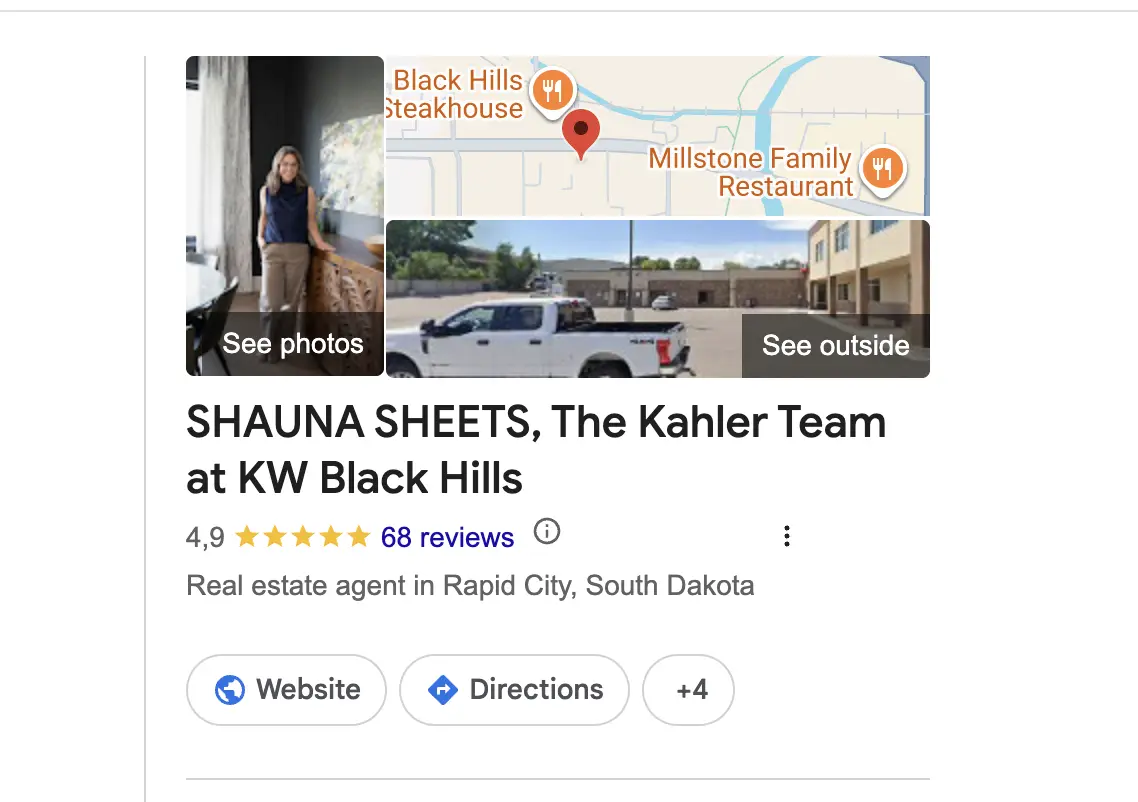
Use a business name that makes it clear who the profile belongs to. For an individual agent, your name should come first. You may also want to include your brokerage, so the profile connects your personal brand with the real-world business you work under.
Verification
Your profile will not show up in Search or Maps until it is verified, so do not skip this step or leave it half-finished.
For most agents, verification happens by postcard. Google mails a code to the address you entered, which usually takes about five days to arrive, and you enter that code in your profile to confirm it. Depending on your location, Google may also offer phone or email verification instead, which is faster if it is available to you.
If you are setting up as a service-area business and plan to hide your address, you will still need a real address to verify with first. You can hide it from public view afterward, the verification step itself does not change.
Address
If you have a physical office, like a brokerage location where clients can meet you, use that address and keep it consistent with your brokerage's listing. If you share that address with other agents, use a separate phone number and website link so your profile doesn't read as a duplicate.
If you don't have an office, whether you work from home or just meet clients at properties, hide your address and set a service area instead. List the specific cities or neighborhoods you serve rather than an entire region, and keep it realistic. Google generally expects this to stay within about two hours of driving distance from where you are based.
For the exact rules and edge cases, Google's own business representation guidelines are the most reliable source, since this is one of the areas that tends to shift over time.
Business Description
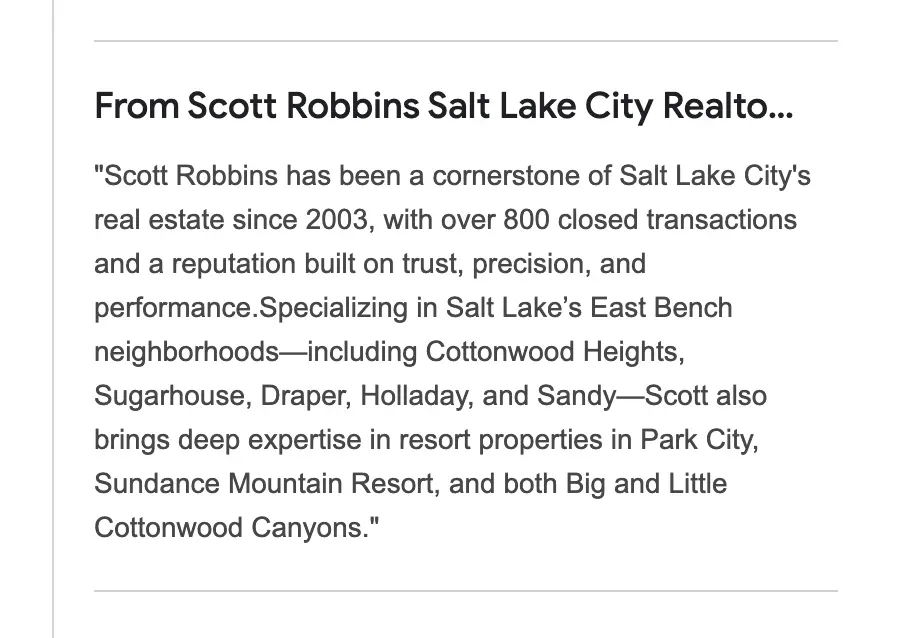
Add a business description from your profile editor. Google uses this field to show a short “From the business” section, and it is one of the clearest places to explain what you do, where you work, and why a buyer or seller should trust you.
Use the description to mention the services you provide, the markets you serve, and the niches you specialize in. If you have clear authority signals, such as awards, certifications, years of experience, or a strong local track record, include them naturally.
The goal is to give enough context to understand your business. Use relevant real estate keywords, but do not turn the description into a list of repeated search terms. A good description should still read like something a serious client would trust.
Opening Date
Add an opening date if it supports your credibility. For experienced agents, it can help show how long your business has been active. If your date is very recent, it may be better to leave it out and focus on other trust signals.
Personal Website
Add your own website if you have one. It is usually better than sending people to a generic brokerage homepage because the visitor is already looking for you, not every agent in the office.
A good agent website gives you more control over what prospects see next: your bio, service areas, listings, reviews, lead form, and local expertise. If you do not have your own site yet, link to the strongest brokerage profile page you have, not just the brokerage homepage. The goal is to send buyers and sellers somewhere that makes it easy to understand who you are and contact you directly.
Social Media Links
If you do not have active social profiles yet, this is a good reason to build them. A Google Business Profile can help people find you, but your social channels help them understand how you show up, how you market properties, and whether they would feel comfortable reaching out.
Start with Instagram, Facebook, and LinkedIn. Those are usually the most useful for showing listings, local market knowledge, client-facing updates, and professional credibility. If you use TikTok, YouTube, or X in a serious way, add those too.
How to Make the Most of Your Google Business Profile
A Google Business Profile is not something you set up once and forget. It works more like a public-facing marketing channel: the more useful information, photos, updates, and reviews you add over time, the more active and trustworthy the profile feels to both prospects and Google.
Three areas in particular make the biggest difference over time: updates, photos, and reviews.
Updates
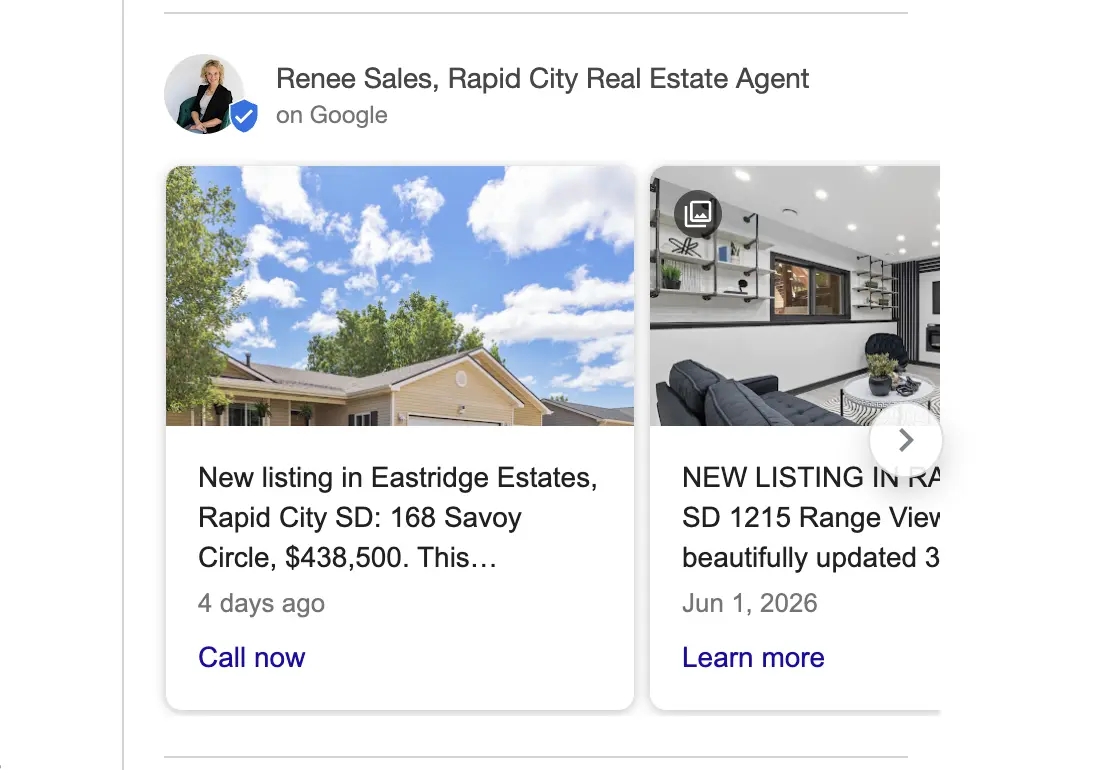
The "Updates" section is where you share new listings, open houses, recent sales, or market notes directly through your profile. On desktop, these show up in the "From the Owner" section on Search and Maps. On mobile, they often appear under an Updates tab.
This is not connected to your social media account updates. What you post on Instagram or Facebook can get pulled and added to your profile, but in a different section. The two should be managed separately.
Keep each update short. A sentence or two and a strong photo work better than a long write-up, since the goal is to catch attention and bring the lead somewhere else like your website. Updates also have a short shelf life. They typically stay visible for about a week before they get archived, so this works best as a habit rather than a one-time task.
Photos
The photos that perform well on your social media, recent sales, new listings, open house shots, are the same ones worth adding here. If it is good enough to post for your audience, it is good enough to show a prospect who just found you through search.
"Recently Sold" photos carry particular weight, since they work as proof that you close deals, not just list them. New listings and open house photos do similar work, showing that you are active right now and giving visitors a reason to check back.
Keep this updated alongside your social posting. A profile with a handful of photos from two years ago tells a very different story than one that gets refreshed every time you close or list something. If you are already creating listing videos, those work here too and tend to stand out on a profile where most agents only upload statics.
Reviews
If there is one part of your Google Business Profile worth getting right, it is this one.
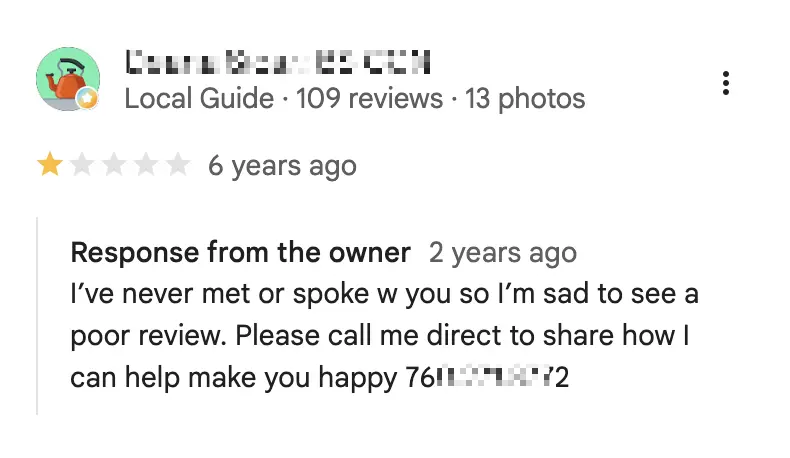
Reply to every review, good or bad. A thoughtful response to a five-star review shows you are engaged, but how you handle a negative one matters more. Buyers and sellers read those replies closely, and a calm, professional answer to criticism often builds more trust than the review itself takes away.
Reviews rarely show up on their own, so ask for them. The most effective way is a direct ask right after closing or wrapping up a service, whether that is a quick email or a personal message. A general post on social media asking for reviews will get far fewer responses than asking a specific client directly, since people are more likely to follow through when the request feels personal and timely.
Key Takeaway
A Google Business Profile is not a set-and-forget listing. The agents who get the most out of it treat it as an ongoing part of their marketing, not a box to check once during setup. Get the basics right, then keep showing up: new photos, regular updates, and a reply to every review. That consistency is what turns a profile into a real source of leads.